Dashboard new grid system and collapsible sections
Problem
Kibana dashboards are often long. SREs monitoring production systems and security analysts running investigations can end up with dozens of panels on a single dashboard, and the only real coping strategy has been to split content across multiple dashboards and link them together. That works at small scale, but it breaks side-by-side comparison and makes maintenance painful for dashboard authors.
Solution
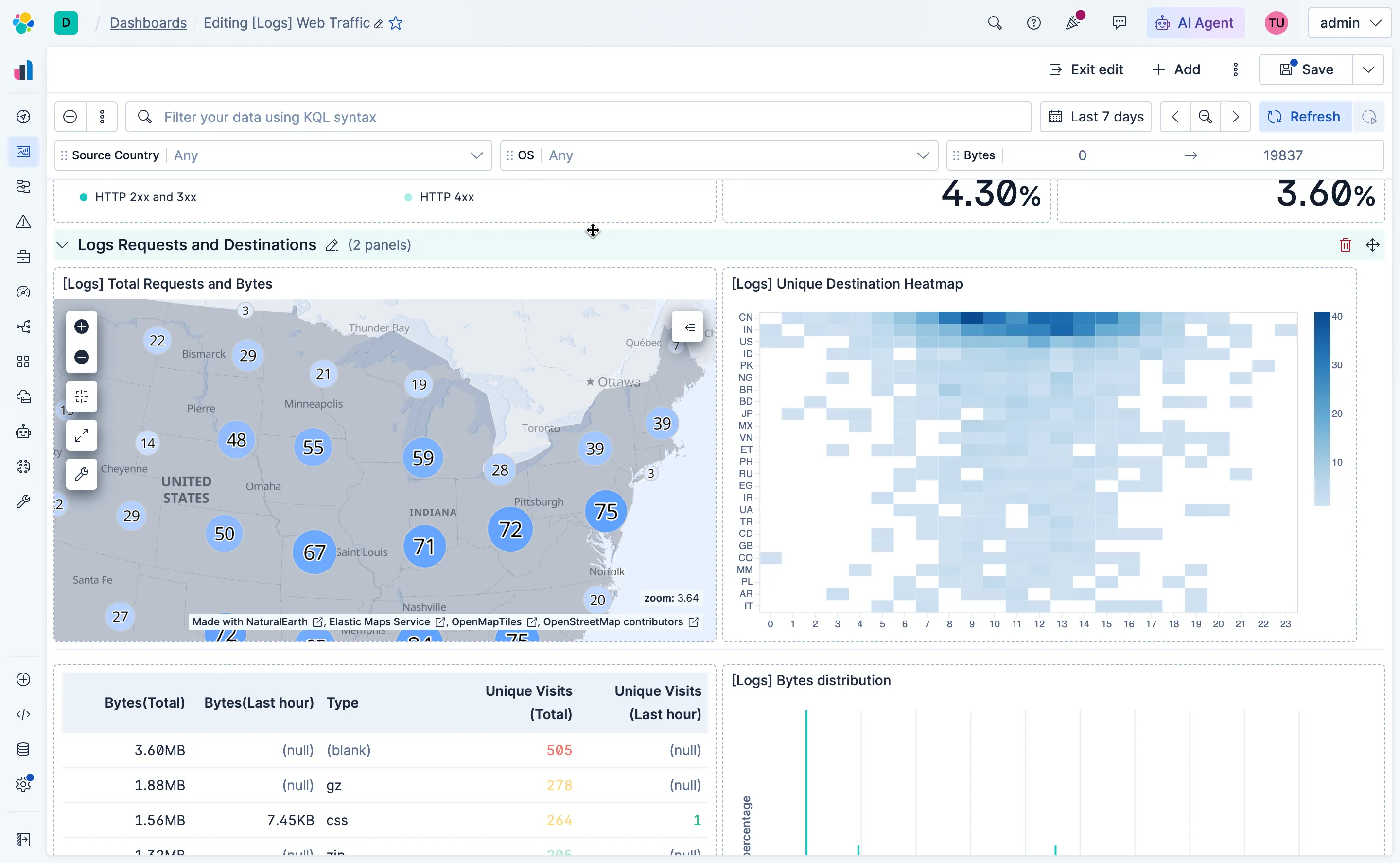
Collapsible sections solve this directly. Groups of related panels can be collapsed by default, so a dashboard loads only what it needs to. Users can expand sections on demand, keeping the rest of the layout tidy and the page fast.
The design challenge was making the grouping feel native to the grid rather than bolted on. Panels already have a strong spatial logic in Kibana dashboards, and the collapse/expand behavior needed to respect that, including drag-and-drop between sections. The engineering work behind the feature was substantial: the team had to replace the legacy embeddable system (which only supported a single level of hierarchy) and build a new layout engine from scratch built with native CSS grid.
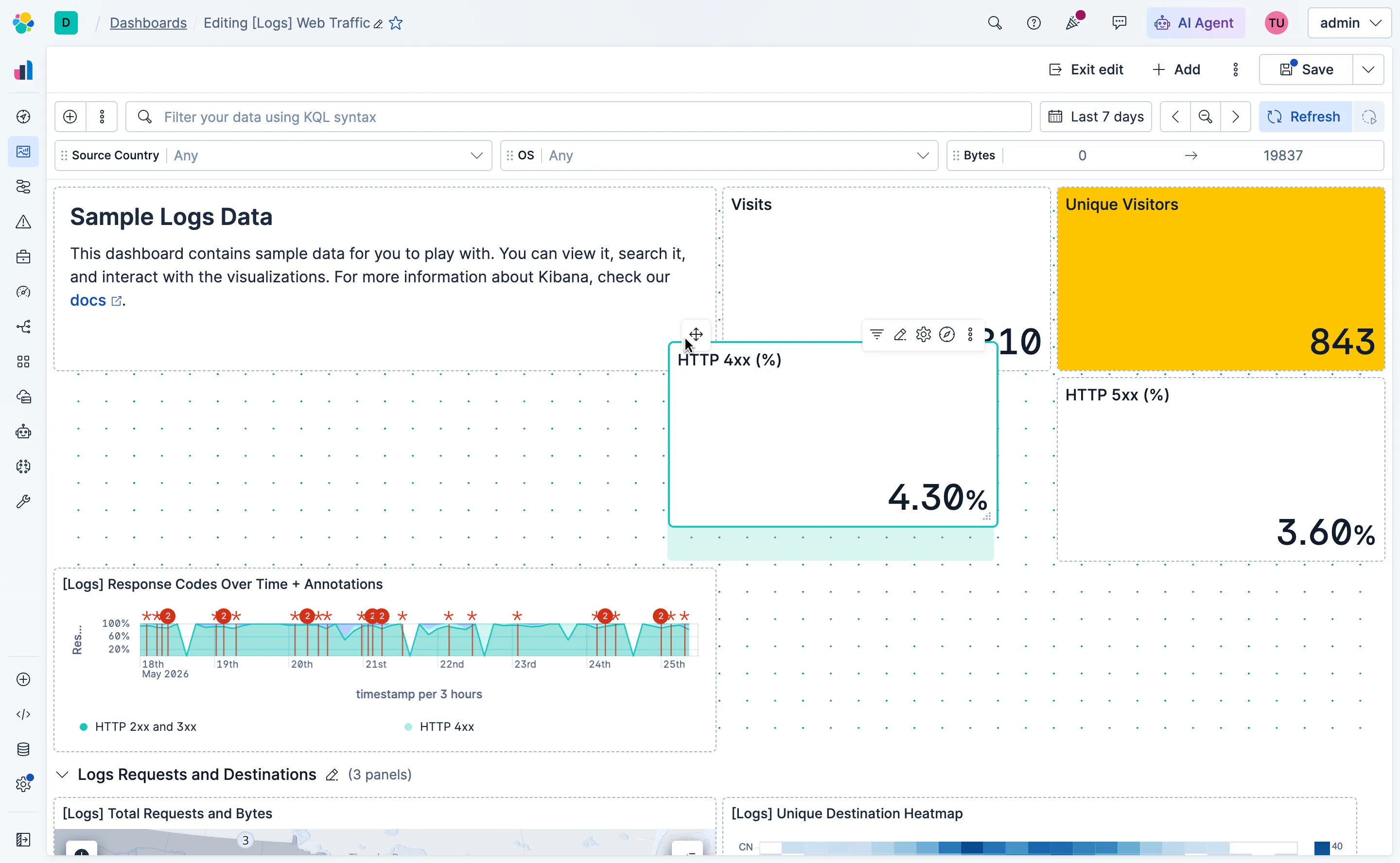
The new layout engine also gave us a clean surface to define drag and resize interactions from scratch. I designed the visual language for the grid system using dots as the foundational unit. When a user hovers over a panel, the resize handle appears as a small triangle composed of dots. I also defined the styles for the ghost panel that follows the cursor during a drag, the appearance of the panel being moved, and a dotted background overlay on the grid that signals an active drag context.
Outcomes
Dashboard authors can now structure long dashboards into meaningful sections that collapse and expand on demand. Content that isn’t immediately needed stays out of the way, and related panels can be grouped by workflow or signal type. The new grid engine also brought drag, resize, and ghost panel interactions under a single coherent visual system, making the editing experience feel intentional rather than assembled.